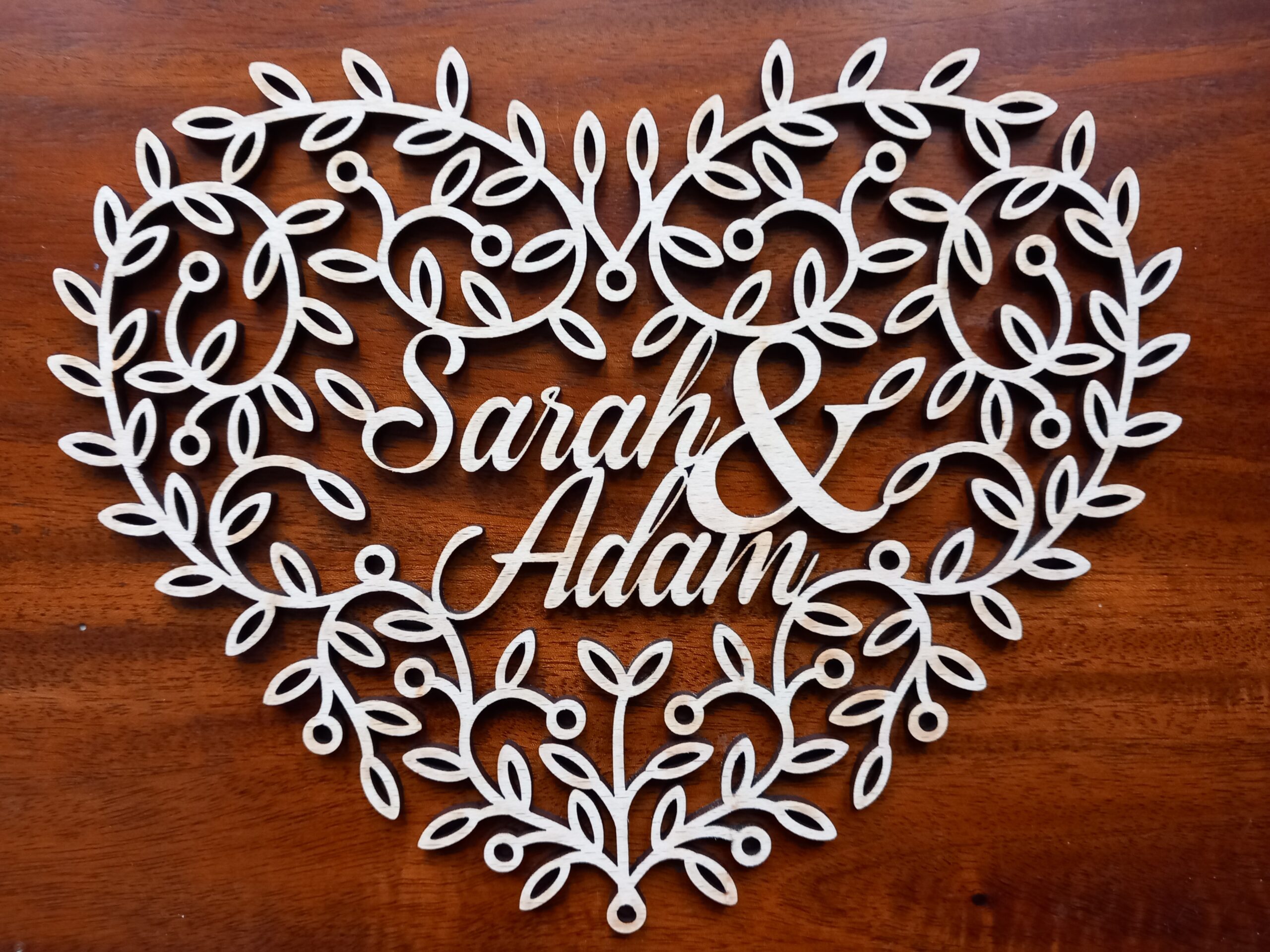
Following on from yesterday’s papercut Valentine heart design, I have now cut the same design, to get a filigree Valentine heart woodcut:
Here is a YouTube video of me cutting it with the laser machine (an Epilog Fusion Edge).
I’m really pleased with how these look – either as papercuts or from wood, and at small or large scale.
In fact, I’m so pleased with the design that I’m going to put it for sale on my shop. Woohoo! Or rather, Woo Commerce!
While cutting this I was listening to the audiobook of Joanna Penn’s newly-released “How to Write Non-Fiction” (second edition). There are a LOT of useful tips in there, which I will hopefully be putting into practice later this year. I am feeling very creative at the moment, and so 2025 seems like I might be able to plan ahead far enough to actually start achieving some goals.
I’ve got loads of projects and designs that I’m working on, so I hope they all turn out as well as this design. This is what the filigree hearts look like when they’ve been cut out and are hanging up on a wall:
Do you like the design? Could I improve it? Let me know in the comments below!
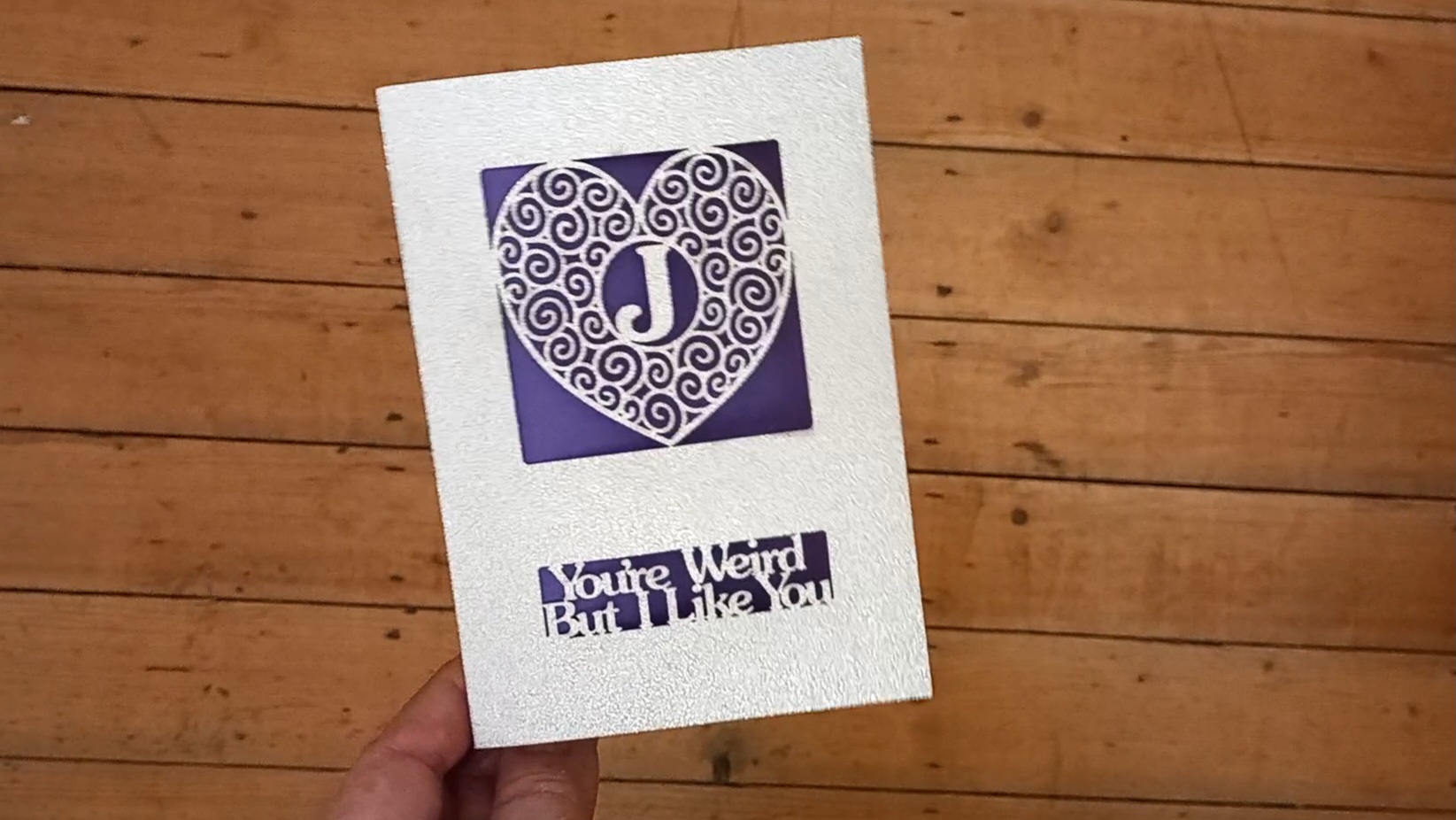
For people who don’t like the yucky sentiments of standard Valentine’s Day cards, here is an experimental version of a non-mushy Valentine card. This is another laser-cut card, cut by my Epilog Fusion Edge machine.
It’s got all of the twiddly filigree bits of a laser-cut card, but without the saccharine sentiment 🙂
Although now that I think about it, I didn’t put any particularly sweet sentiments on my personalised letter ‘A’ card, either. Maybe I’ll try to come up with a non-heart version next, to make it as unsentimental as possible. That would be the ultimate non-mushy Valentine card 😀
Continuing with my project “An AI Made Me Do It“, I’ve continued to put AI to practical uses by creating physical artworks from AI-generated images. This time I used Kittl to create an 80th birthday card for my mum.
I wanted to do a papercut artwork for the front of her card, but wasn’t sure if the AI would know what a papercutting design should look like, so I tried suggesting an adult colouring page design:
Prompt: “Adult colouring page of a number ’80’. The numerals should be filled with doodles of simple white roses.”
With Kittl you can choose from a set of styles, so I selected “anime vector”, and this was its first attempt:
I thought this was great, but wondered if the AI could keep the floral elements inside the boundaries of the actual numbers. So I used exactly the same prompt again (but not the anime vector style), to see if the design would evolve or if I needed to tweak the instructions. However, see if you can spot the problem with the next few designs…
Artificial “Intelligence”?
They were no good for an 80th birthday card! This is another example of AIs being too “creative” with text. It’s a shame because they were lovely designs – but obviously they were impossible to use because they said “88” instead of “80”.
For a while I tried to generate just the “0” shape by itself, in case I could match any of the designs with the previous 8s, to get the whole figure “80”:
…but none of them seemed to match exactly, so I went back to trying “80” again, with this prompt:
“Papercutting design of a number ’80’, where the 8 and 0 are filled with doodles of simple white roses.”
This time Kittl nailed it first time. (I’d forgotten to select the Anime vector style, but it still did an amazing job):
Cutting it out
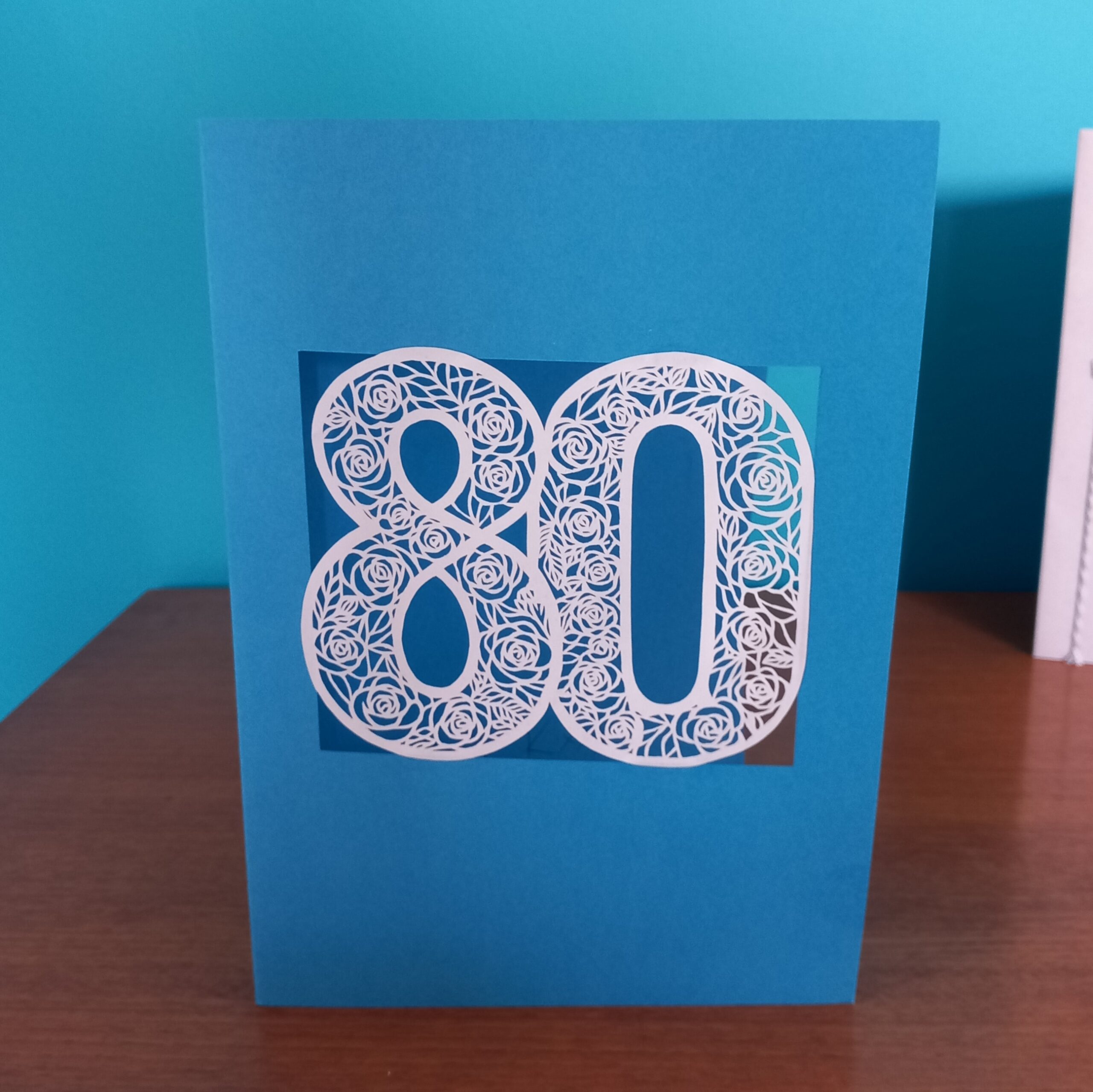
I definitely felt I could cut that out by hand. So I printed it (on normal printer paper) and then over the space of three evenings I used an X-Acto knife/scalpel to cut the design. This is the result:
Here is Kittl’s original design on the left, with my papercut on the right.
All the years of doing my “922 Decorative Vector Ornaments” project must have paid off! Because technically speaking, this is one of the best papercuts I’ve done. There were very few errors, and the cuts were clean and sharp. I’ve always loved doing papercuts and I’m a member of GAP (Guild of American Papercutters (- there isn’t a guild of British papercutters)) and this was a great excuse to use my cutting skills.
How well did Kittl follow my prompt?
Right from the start it came up with some great rose designs. I think it helped that I started with the Anime vector style, because by definition this needs to use clear lines and shapes, rather than gradients of colours.
As usual though, there was a point where the AI got too creative. This time it kept giving me the number 88 instead of the number 80. (I am begining to think that the “I” bit of “AI” does not mean “intelligent”.)
After I had a break then went back to a similar prompt, Kittl came up with a design that I felt was immediately usable. It is really rare for me to see an AI-generated design that feels 100% right, but this one not only followed the prompt but also looked like the design I had in my imagination.
How similar is my end physical product, compared with the original AI-generated design?
I reckon it’s about 95% the same (if you ignore the fact that I put it on blue card instead of beige). The camera angle of the finished card makes it look a little bit distorted, but the papercut is the same size and shape as the original image (I was cutting it out directly from a printout of the design). I’ve suggested the final 5% difference because Kittl put shadows behind the numbers, as if the 8 was hovering a couple of millimetres above the 0. But because I just cut it as a single piece and then stuck it onto a windowed card, mine didn’t have the shadow effect.
Lessons learned
Kittl seems to be naturally great at creating colouring pages and/or papercutting designs.
Currently (April 2024) AI image generators still have a problem with producing the exact text from a prompt.
Things I still need to learn or improve
One of these days I should really come up with a better overall design for the cards that I put my papercut artworks onto (or into, in the case of pop-ups). On the other hand though, I suppose having such a simple overall design means that viewers have to focus on the papercutting itself.
Homework:
Develop this design as a lasercutting file.
Try to mount the laser-cut artwork on a piece of beige card, to see if I can get it to look even more like the original design.
Create more papercut number cards using Kittl.
See if any of the other AI image generators can produce similar (or better) results for papercut cards.
Summary
For me this felt like a great practical use of an AI text-to-image generator. I needed an original design for a special occasion, and in minutes the AI – Kittl, in this case – created a design that would have taken me maybe a few hours to produce myself. As a result, ‘all’ I had to do was the cutting of the artwork (which of course took a few hours, but it was for a very special occasion so I wanted to put a lot of effort into it).
Thanks for reading this post. If you’ve got any suggestions of prompts or projects – or if you’ve been experimenting yourself with AI-generated images – I’d love to hear about them. You can either comment below or send me a message via the Contact form.
As mentioned earlier, one of my creative goals for 2024 is to create at least 52 AI assisted/inspired artworks this year, (using AI-generated images as a prompt for actual physical creative pieces). My latest piece was for a commissioned artwork, of a wedding woodcut. The customer had seen my previous wedding heart papercut, but wanted a wooden heart instead of paper.
I suppose I could have just used the same design as the papercut…
Personalised papercutting
…but this seemed like a great opportunity to ask an AI to help me with a new design. This time I used ChatGPT / DALL-E. Here is the first prompt (I’m still in the habit of using “please” and “thank you” with the AI):
“please could you create a design for a heart-shaped piece of wooden wall art for a wedding? The wooden object should feature the names “Charlie & Bex.”
and this was the result:
Wow.
It was a lovely design, but it didn’t really scream ‘wedding’ at me, so I followed up with “Please could you try the same design, but with the design cut out using a fretsaw or scrollsaw (instead of carved into the wood)?” This is what came out next:
Wow again. For a start I was impressed that Dall-E actually knew what I meant by fretsaw or scrollsaw! But it still needed to be a bit more wedding-y (and what the heck was that “CERDDING” about?!)
This is why I really like the collaborative aspect of ChatGPT’s Dall-E. Having the interaction as a conversation allows the user to tweak the design in an iterative way, just changing one or two parts of the prompt at a time, instead of having to type out a giant long prompt with all of the required elements of the design. I felt that the second design still looked a bit too flowery, so I asked it to replace the large flowers with doves. Here is the result:
Fibber!
Again, that was a really nice design, but one of the things I’d liked about the previous versions was that the design had included a small blank heart near the bottom, which I thought would be a great place to write the date of the actual wedding. So I asked Dall-E to insert a small blank heart near the bottom.
Dall-E replied “Here’s the updated design with a small blank heart near the bottom, providing space for you to add text later.“
– but that was a big fat fib! Unfortunately, although ChatGPT / Dall-E is fantastic in a lot of ways, it often falsely claims that it has done what I asked. I actually really liked that design, but because it wasn’t 100% perfect I persevered and asked it to include roses or passion flowers. Again, it came up with a lovely design…
…but again it wasn’t quite right. I loved the birds and the overall look and the little banner with the names in, but there were a couple of problems:
There still wasn’t a blank heart for me to add a date later
Some of the lines were getting a bit too fine to cut out
I didn’t really like the big flower in the middle
Getting somewhere…
So I tried again, with this prompt: “Create a design for a heart-shaped piece of wooden wall art for a wedding, which looks like it has been cut out by a fretsaw or scrollsaw. The wooden object should feature: the names “Charlie & Bex”, two doves, a simplified passion flower, and a small heart-shaped area left blank for text.“
This time the GPT had done exactly what I asked…except that I’d changed my mind about putting in a lotus flower.
“Nice! Can you try another design like the one on the left, but with a rose or calla lily instead of the lotus flower?”
Frustration
This is where I started to get frustrated. I’d thought that the next image was going to be perfect, but it was getting worse. It had inserted a passion flower instead of a rose, had mis-spelled Charlie, and changed the doves into seagulls. Sigh. At the moment (April 2024) there always seems to be a point where the GPT turns into a complete arse, and deliberately does stuff to annoy me. We went through about twenty more iterations after that, where it was creating very nice designs, but they weren’t actually what I’d asked for. I swear it was deliberately ignoring my instructions.
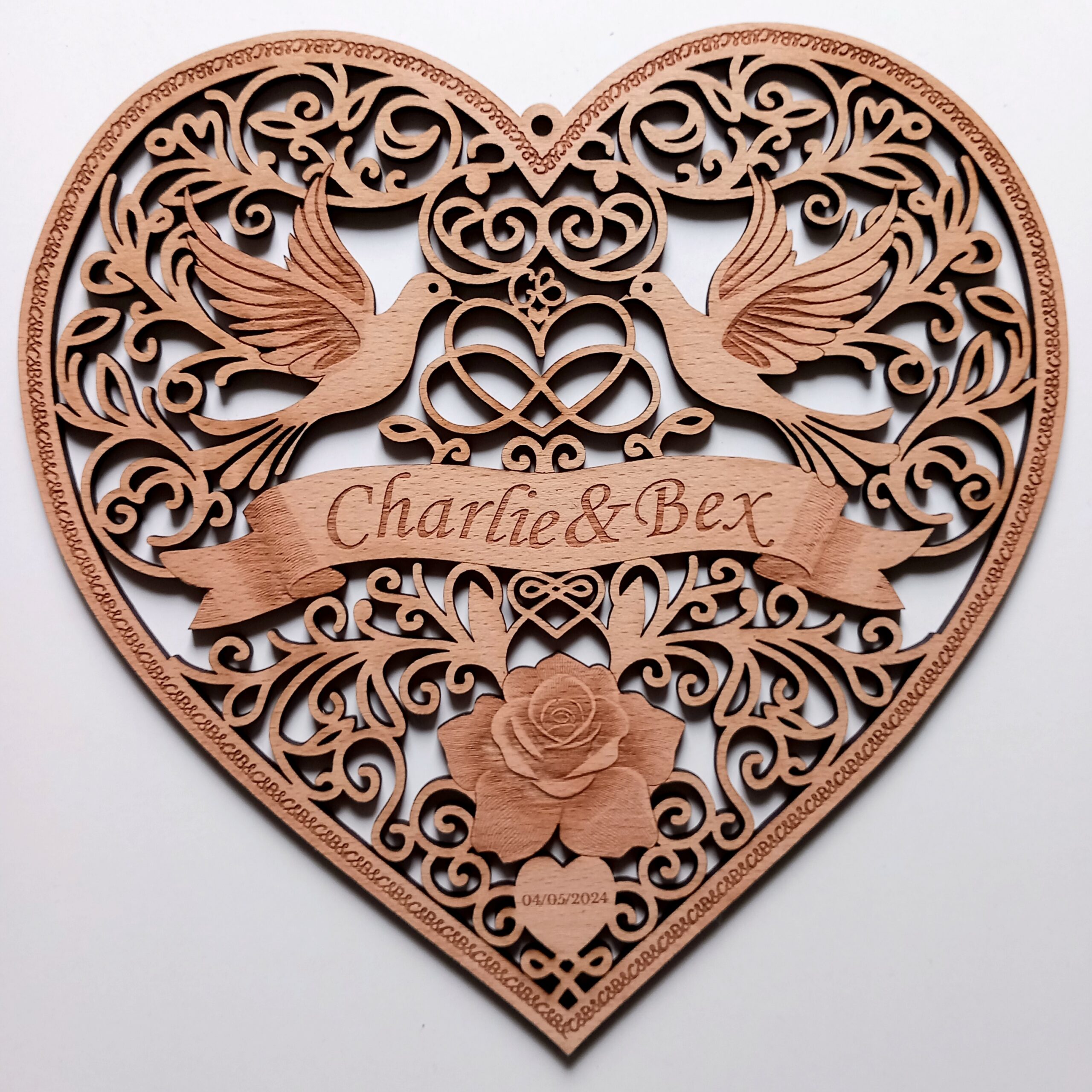
After several days of fighting with DALL-E on and off, it finally created a design that I thought could work as a lasercut piece:
This fit the brief in most ways:
Heart shape wedding woodcut
Rose
Two doves
Correct names in a banner
Infinity symbol
Small blank heart (although it was too small to incorporate any text)
Looked like it had been (or could be) cut with a fretsaw or scrollsaw
Final Design
I made a few tweaks to the final design, by:
Making sure all of the elements connected to at least one other element, so no pieces dropped out.
Simplifying and/or thickening the swirling lines of the designs, to make the final piece less fragile.
Swapping the doves for two others from an earlier version.
Converting the squiggle above the heart-and-infinity-sign into a “CB” monogram.
Changing the typeface of the names.
Enlarging the blank heart so I could add text to it.
Changing the decorative edge to a repeating “C&B” design.
Adding a hanging loop.
Altering the squiggles above the rose so that they formed another heart.
Here they are next to each other:
I do love the original, but it just wasn’t practical to cut out exactly as it was (e.g. with some lines being too thin, and some elements not connected to the rest of the design). I might try etching it rather than cutting it, just so I have a version that’s more faithful to the original, but on the whole I’m really pleased with the way the wedding woodcut turned out.
The only real improvement that I feel I made is that I joined the top parts of the heart (above the infinity symbol). Most of the other changes were just compromises, to join up the disconnected or thin sections.
Lessons learned
ChatGPT / DALL-E is awesome. I can’t believe how aesthetically pleasing most of those designs are.
From a technical point of view, I’ve learned how to create ‘masked’ sections of images via the Linearity Curve app (i.e. sections of the design I can isolate, then copy and paste and/or export into other applications).
Things I still need to learn or improve
Why does it do that thing where it starts ignoring parts of my prompts? I need to try to find out if there’s a way to stop that happening.
Homework:
Try to create a specialist ‘Wedding Woodcut’ GPT, so I can design similar wedding hearts in the future.
Summary:
I felt like this was a really successful project. DALL-E helped me to create a design which combined the look of a traditional woodcut with the modern technology of lasercutting and AI image generation.
Thanks for reading this ‘Wedding Woodcut’ post. If you’ve got any suggestions of prompts or products – or if you’ve been experimenting yourself with AI-generated images – I’d love to hear about them. You can either comment below or send me a message via the Contact form.