Posted on Leave a comment

Christmas Number One!

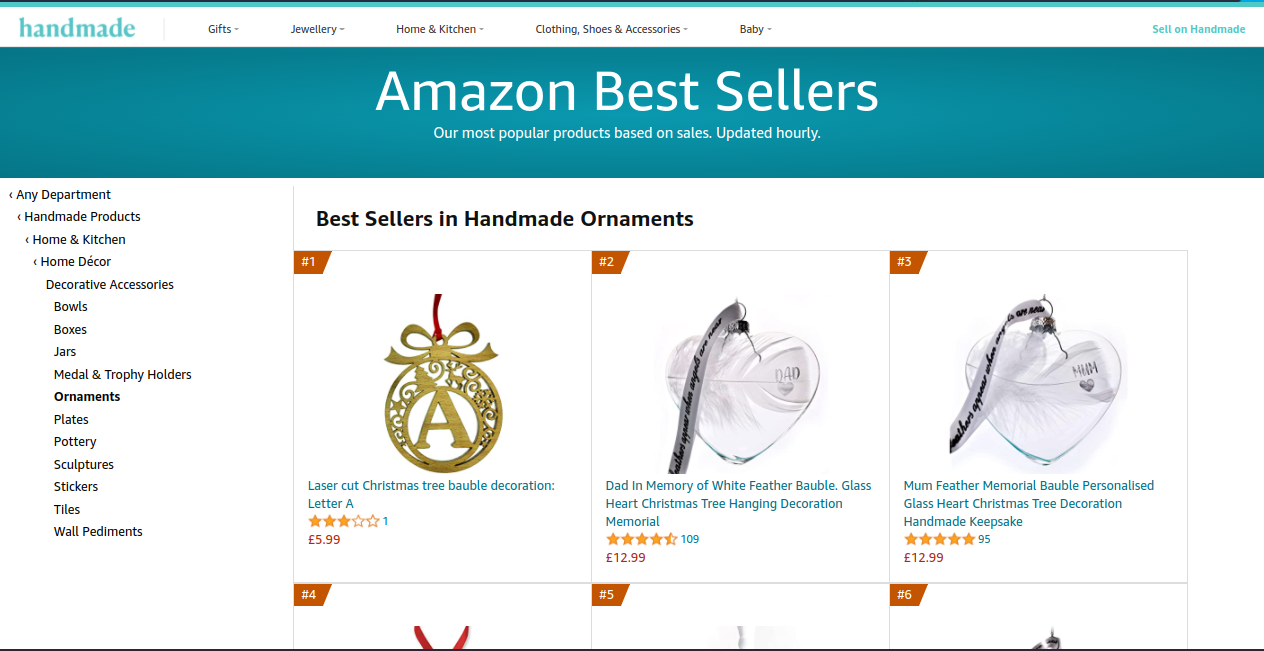
Screenshot of lasercut Christmas tree letter bauble at #1 on Amazon best seller list

Last month I wrote this article about experimenting with Amazon’s FBA (Fulfilled by Amazon) programme – where the basic idea is that sellers ship a load of products to an Amazon warehouse, then Amazon do the picking, packing and postage for them. I’ll try to remember to do a more detailed report when the dust has settled and the Christmas rush is over, but for now let’s just say that the experiment appears to have been successful. In fact it’s been so successful that I have scored a “Christmas number one” this week, and here is my screengrab to prove it:

Screenshot of Christmas letter-bauble at #1 on the Amazon best sellers list

As shown in the screenshot, my personalised Christmas letter bauble is now officially an Amazon Best Seller.

When is a #1 not a #1…?

OK, it’s a bestseller in a subcategory of a subcategory of a subcategory. But I’m still taking it as a win!

It was hard work, though. In order to get to that stage I’ve had to sell a lot of bauble ornaments. And in order to get to that stage I’ve had to make a lot of bauble ornaments. For six weeks in the run-up to Christmas it felt like my whole house was a mini factory full of baubles, wood sheets, ribbons, boxes, and wrapping materials. My family became my factory workers, and my cat became very confused.

The final batch of ornaments was only processed by Amazon yesterday (21 December), so maybe that’s too late for even Prime customers to order my products. But in the meantime I’m just going to bask in the glow of having achieved a Christmas #1 in the charts.

They keep selling out, so by the time you see this they might all be gone again. And in that case it won’t be worth looking at any of my shops. But for just this brief window in time, I’ve been able to achieve a bit of an ambition to be a chart-topper on Amazon.

I guess my target for next year should be to try to reach #1 in a higher-level subcategory. So instead of Handmade > Home & Kitchen > Home Decor > Decorative Accessories > Ornaments, I should aim for Handmade > Home & Kitchen > Home Decor? Hmm – maybe that’s a bit too ambitious…!

Posted on Leave a comment

Free Lasercutting File: “Bonus” Shapes to Use With Scrap Materials

This free file of “bonus” shapes comes from the Money-Saving Lasercutting Tips articles.

It’s a PDF file, which should work with most lasercutting systems. However if you need an EPS or SVG file, I’ve also put free versions on Vectorstock.com.

(Please click on the image or the button below to download it.)

Bonus-lasercutting-shapes

If you prefer SVG files or other formats, I’ve uploaded the free sample files to Vectorstock.com for convenient downloads. (Try searching for “free lasercutting files bonus shapes”

Posted on Leave a comment

Laser-cut Personalised Jewellery Holders

lasercut jewellery holder - Kay Vincent LaserSister

Laser-Cut Jewellery Holder

Here is something I’ve been playing with this week – the design of a laser-cut jewellery holder.

I made one for my mum last Christmas…

As you can see, it can hold lots of different types of jewellery (rings, necklaces, bracelets, watches, earrings). However, it still needs some tweaks.

What I like about it is:

  • As mentioned above, it can hold nearly all types of jewellery. The only exceptions I can think of at the moment are hat pins, scarf pins or brooches.
  • You can see all of the jewellery in one place. It’s not in a drawer or box, so you get to enjoy your favourite pieces like mini artworks.
  • It’s personalised and therefore unique.
  • It’s versatile, so (e.g.) the same horizontal bar can take either hook-type earrings or post-type earrings, and the vertical side bits can hold either rings or bracelets or watches.

Things to improve on the design:

  • Create a way to hang it so that it is held away from the wall, to make it easier to hang earrings.
  • Have a way to store brooches and pin-type jewellery (e.g. a tray at the bottom)

As a very basic version though, this is the design that I used:

If you’ve got a laser cutter and you’d like to have a play with this design yourself, I’ve made a vector file available below.

Basic jewellery holder design for lasercutting - copyright Kay Vincent - LaserSister 2018

(Click here for basic jewellery holder design for lasercutting)

Hope you found this post useful! If you think it might be of use to other makers/designers, please feel free to share the link to the post via Twitter (@LaserSister), Pinterest, Facebook (@LaserSister), etc…

Posted on Leave a comment

Laser Cut Souvenir Fridge Magnet

royalty free lasercutting image resources

Laser Cut Souvenir Fridge Magnet – Belogradchik Rocks, Hungary

We got back from holiday last week and only just finished unpacking today – and I’d forgotten that while I was on holiday my eye had been caught by several laser-cut souvenirs.

This one is a laser cut souvenir fridge magnet from Belogradchik Rocks, in Bulgaria. Mmmm, laser-y!

laser cut souvenir fridge magnet - belogradchick rocks bulgariaI like the way that it has two layers to it. But whoever made it has left quite a bit of scorching/smoke-marking on the front, and I’d be really disappointed if I sold a piece like that. On the other hand, I’m too much of a perfectionist. Weird how it didn’t stop me buying a piece, but it would stop me selling one. Maybe I’ve got things the wrong way round?!
Posted on Leave a comment

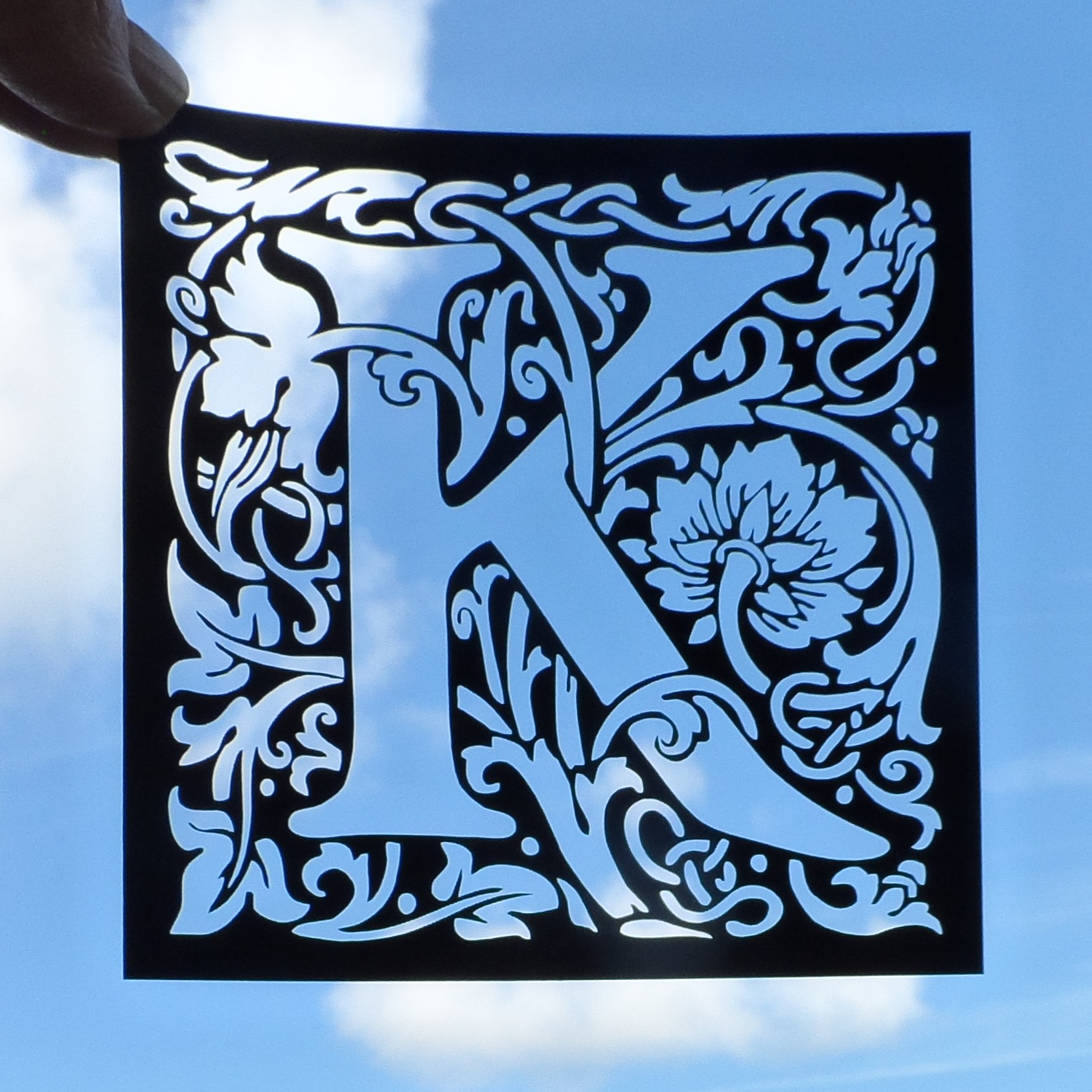
William Morris Style Laser Cut Birthday Card Designs

william morris style K card topper - KayVincent - LaserSister

William Morris Style Laser Cut Birthday Cards

This week I’ve been developing William Morris-style laser cut birthday cards.

After a couple of days’ tinkering, I ended up with some really nice filigree designs of card toppers:

William Morris style laser cut birthday card: E
Birthday card design: E

william morris style laser cut birthday card F
Testing a gold “F” design

Where to find images and inspiration for your laser cutter

For the letters shown above, I bought the extended licence from Dreamstime, which is a website where you can buy royalty-free photos and vector-based illustrations.

Here are the art nouveau alphabet images that I used. Alternatively, you can enter your own search terms in the box below, to look for specific resources. For example, type “Art nouveau”, or “William Morris alphabet” in the box, and then click the ‘search’ button.

Stock Images

Another great resource that I’ve found for royalty-free designs is Vectorstock.com. They seem to have forgotten to use an apostrophe in the link/banner below, but they still do a brilliant range of illustrations. And because their files are all vector-based graphics, that means that they are usually very straightforward to cut with a laser cutter:

And at the moment (April 2018) both sites are even more useful if you have your own laser cutting business, because they can provide a little bit of extra income on top of your actual laser-cut products. You can either upload some of your own original designs and allow people to buy licences to use them, or can sign up as an ‘affiliate’.

For example, with Vectorstock I uploaded my elephant design so that other people with laser cutters can use it in their own designs. Then every time someone purchases a licence for the elephant, I receive a few cents, but there is no extra cost to the purchaser. Win/win!

Similarly, with affiliate links and referral schemes, you can also receive small payments just for pointing people towards something that they are already interested in. As another example, if you include the banners/ads for these services (like the ones shown above) you could receive a small payment each time someone signs up and/or purchases a licence.

Hope you enjoyed this post. Don’t forget to say ‘hi’ via the contact us page, or to tweet me @LaserSister if you’ve tried any of the above ideas or if you’ve got comments or questions.

Posted on Leave a comment

The A-Z of Laser Cutting

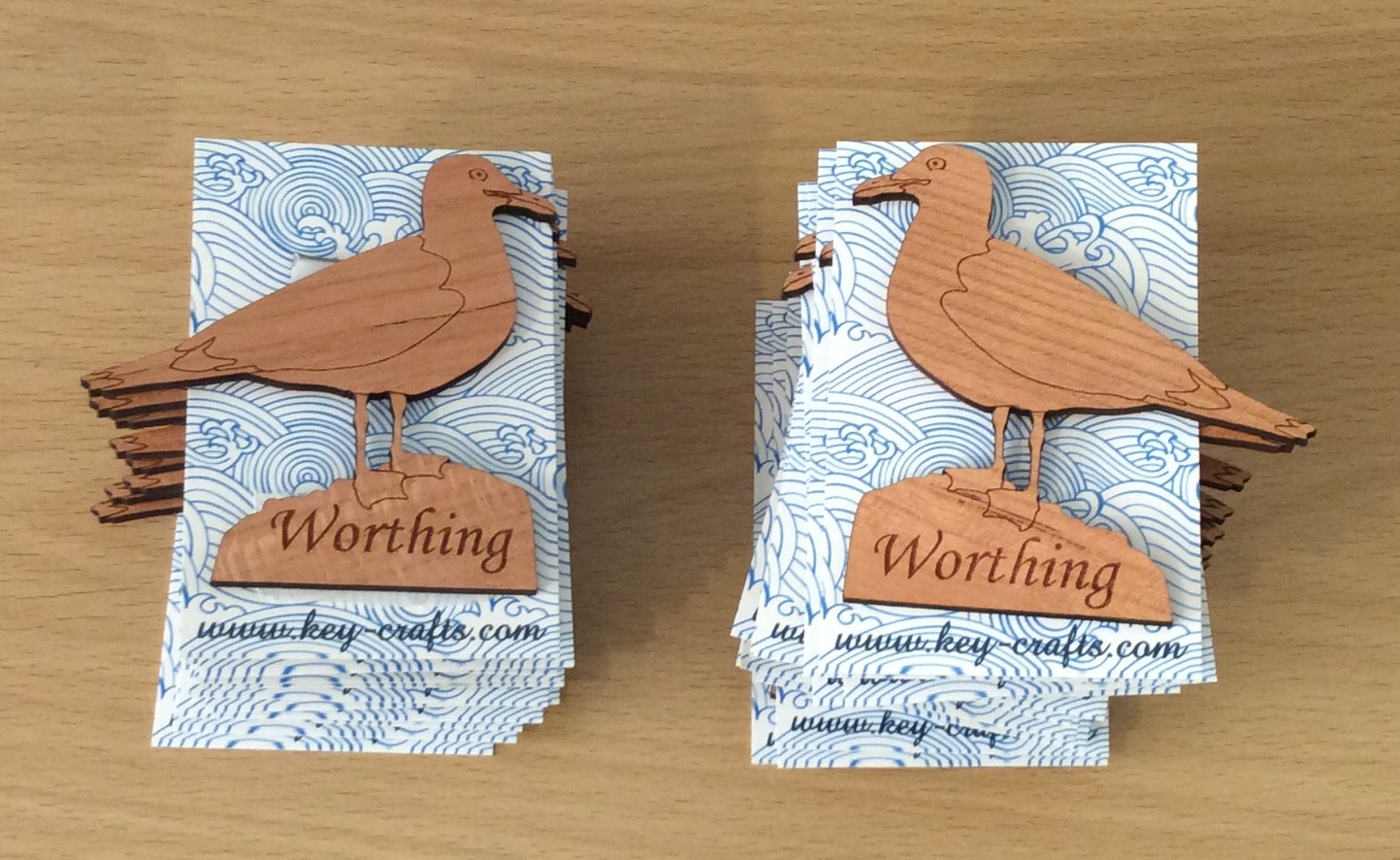
seagull fridge magnets - Kay Vincent LaserSister

I’ve had a VERY busy couple of months, since attending Autumn Fair! Here are some of the most recent items I’ve made:

Worthing fridge magnets - seagulls
Recent work: seagull fridge magnets

But now November has sneaked up on us, and that means the Christmas rush is about to start…

I’ve got several orders that I need to work on this week, but in the meantime I need to also think about re-stocking my etsy, ebay and folksy shops. And ordering some new business cards. And re-stocking actual physical shops and galleries where I sell my work. And approaching other shops and galleries where I’d like to sell things. And taking photos of products. And updating my website.

In the meantime, it’s NaNoWriMo (National Novel Writing Month). The idea is to spend 30 days writing a 50,000 word novel. But rather than write a novel, I might use the time (and words) to update this blog, instead.

As well as NaNo, I’ve decided to participate in Jeff Goins’s “500 Words” challenge, where the idea is to write 500 words per day, no matter what. So with the combination of NaNo and “500 Words”, I’m looking forward to writing a lot more about lasercutting in future.

Jeff Goins’ 500words challenge

Over time I’m aiming to create a resource for myself and others, where I can collect as many laser-cutting-business-related links as possible.

Some of the posts will have an alphabetical theme, and will focus a lot on products that can be created with a laser cutter. And some posts will contain a mixture of tips on saving time, saving money, and getting the most (and best) out of a laser cutter.

It’s not just all about me, though! I would really appreciate your help in creating the ‘library’ of resources. So if you’ve found a great article or technique or business/time/design hack, then please share it by leaving a comment, or tweeting @LaserSister. I’ll also look into setting up various other wiki-type resources, that can be added to by the lasercutting community as we all learn from each other.

Along the way I’ll try to create tutorials or articles on how to make money via a laser-cutting business. If you’d like to receive the articles and tutorials via email to make sure that you don’t miss any of them, please subscribe or sign up for the newsletter. That way you’ll be the first to hear about any new tutorials, tips, or downloadable files etc.

Screenshot from LaserSister tutorial

In the meantime it’s time for me to go and work on some more designs for customers. This week I will mostly be working on family trees for people who have ordered them as Christmas presents. Next week – who knows? 🙂

Save

Posted on Leave a comment

My Own List of Top 20 Laser Cutting Blogs

LaserSister trademark logo as laser-cut marquetry heart - background removed

Following on from yesterday when I was excited to find my blog in the top 40 of laser cutting blogs, I have been checking out other blogs on the list and here is a digest of my own favourites (along with the country they are in, in case you are looking for laser cutting services):

Gypsy Soul Laser Cuts (USA) is a lovely blog, with regular updates and lots of craft ideas. They sell laser-cut craft items.

Dragon Powered (UK) has got laser cutting files for sale, to save you having to spend hours designing your own. The blog includes interesting and original information, and technical advice.

Nice Cuts (UK) provide a laser cutting service, and have ideas about how you can use laser cut designs for your own business. They also occasionally have guest bloggers, who share their own experiences of using a laser cutting service.

CUT-TEC (UK) are a laser cutting service and they create really varied laser cut items – including in metal.

Mekkit.com (UK) are another company who produce really varied laser cut products, and have some great photos of their work.

The Altered State (UK) have got at least one great big laser and can cut and etch reeeeally big items.

LaserSister (UK) That’s me! I provide a laser cutting and etching service, but the blog also has technical information about laser cutting, plus news and trends from the lasery world. And will shortly include links to cutting files.

MBJD Laser (USA) seem to pick a different font colour and overall style for every blog post, but I forgive them because they are real people and giving real news about their laser cutting service and products.

Laser Flair (UK) have a laser cutting service and look like they can etch metal and giant pieces of wood for you.

Dot Laser (UK) produce really nice-looking and varied work for clients.

Bespoke Laser UK also produce great looking products, and do an especially nice line in laser-etched bespoke rubber stamps.

LASERCUTIT (UK) have a laser cutting service, for wood, acrylic, paper and card.

Just Add Sharks (UK) have got an article on making a totally mind-blowing ‘phenakistiscope’.

CutLaserCut (UK) work with artists and other businesses to make some really original pieces.

Ponoko (USA, NZ) allow you to upload your artwork, get an instant quote, and then cut and ship the item on the same day. WOW.

Reddit (www) has a thriving laser cutting community and this is a great place to browse and/or ask questions. It does contain quite a bit of spam, but you can easily lose hours just browsing if you are really into laser cutting.

MLC (AUS) have a laser cutting service in Australia, and the blog includes latest trends and news from the lasery world.

Able Engraving (UK) have a traditional engraving service as well as laser engraving, and are experts in signs and awards.

Google News (www) chews up and spits out laser-related news for your information and delight.

(OK, there are only 19 in my current Top 20 list. But the Top 40 list only had 33, so I win!)

Posted on Leave a comment

I’ve Hit the Top 40!

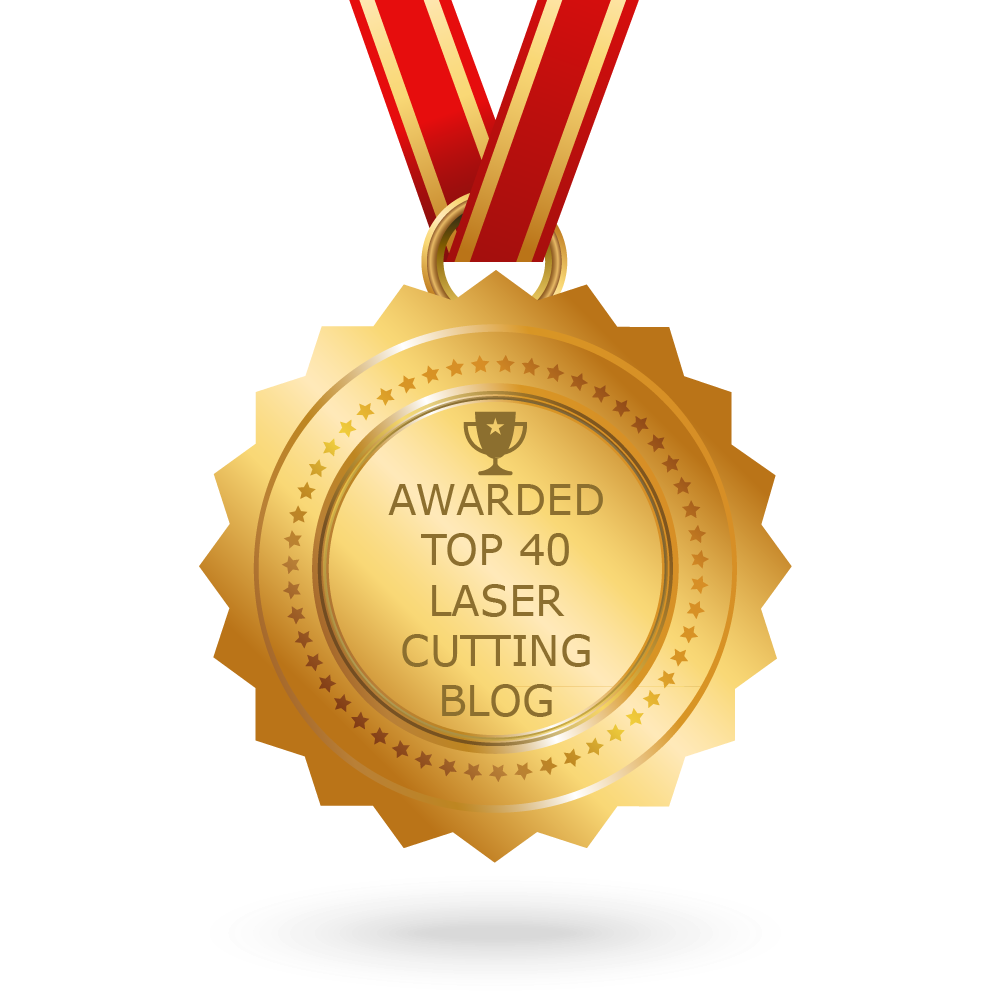
award for top 40 lasercutting blog

Well, this is turning out to be an interesting (and busy!) week.

Checking out my blog stats, it appears that my laser cutting blog is in the top 40 of a list of laser cutting blogs

Medal saying 'Awarded top 40 laser cutting blog'
Woo – some automated software has given me an award!

Disappointingly, there are only 33 websites on the list (I am currently number 30) – so it appears that at the moment if you have a laser cutting blog then you are automatically in the list. On the other hand, (1) I only moved to this website host a few weeks ago, so it’s lucky any web-crawling bots can find me anyway, and (2) at least I’m actually on the list!

I will start to celebrate if I reach number 20 🙂

Posted on Leave a comment

Using Stock Vector Images to Fast-Forward your Lasercutting Business

search for vector images

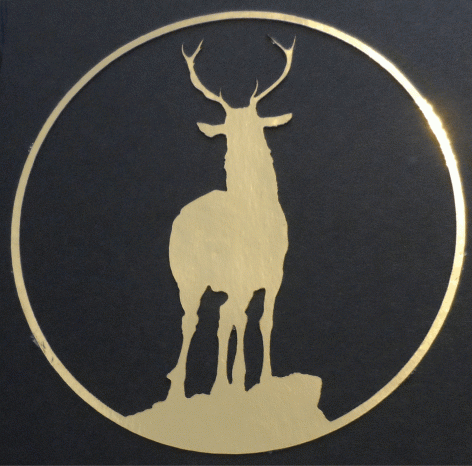
Gold deer silhouette card (credit: craftsmanspace.com)

If you have a laser business it’s often hard to find the time to create new designs when you are already busy with making existing products. One way to save time is to use existing “stock” images, to help fast-forward the design process.

There are many stock image services online where you can find existing vector designs, created by professional designers or independent artists. And each of these websites has a huge range of images, suitable for just about every occasion.

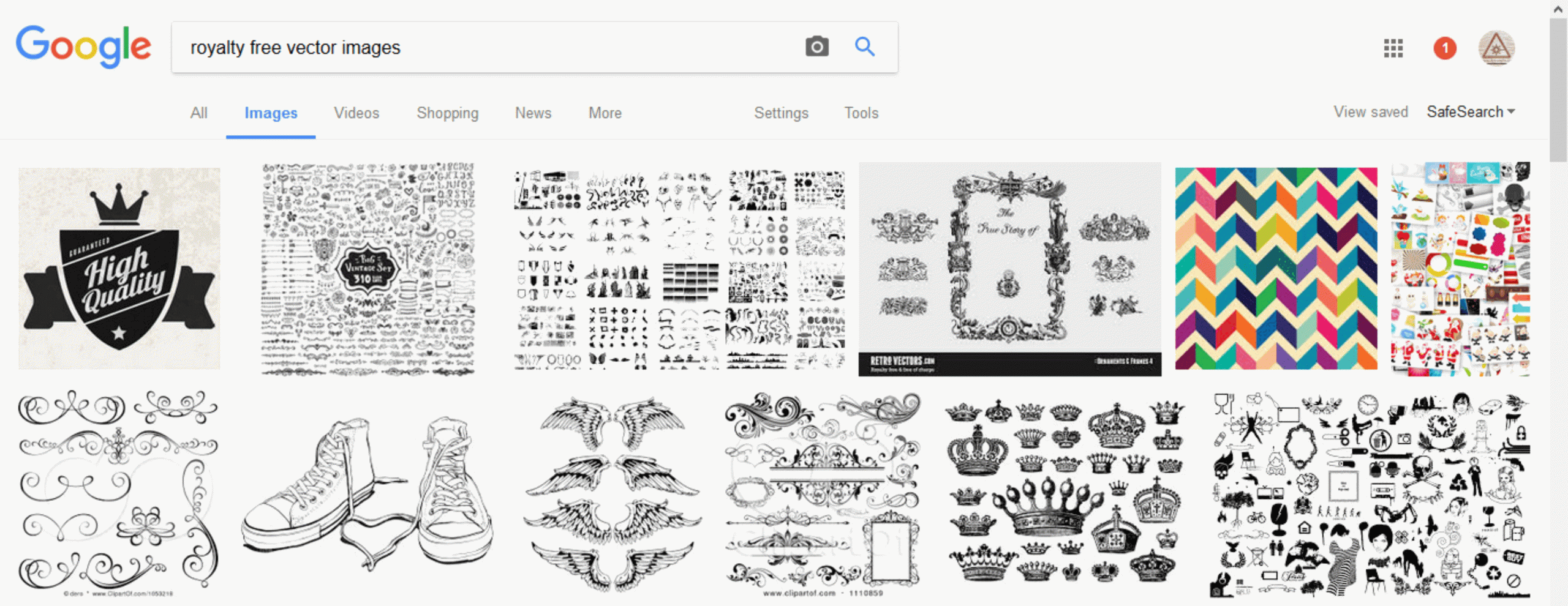
Just do a search for “royalty free vector images”, and you’ll find examples of services like Shutterstock, iStockPhotos, Adobe, Dreamstime, Vectorstock, etc.

Screenshot of search for free vector images for laser cutting
Screenshot of search for vector images

Note: Although these images are ‘royalty free’ (you don’t have to keep paying every time you use them in your own products), the designs do usually cost something to actually buy in the first place.

There are also different types of license that you purchase. It is often free or fairly cheap (e.g. $1USD, or £1GBP per image) to download an image if you are just buying it for your own personal use. However if you want to sell products with these images on them, you usually need to buy an ‘extended’ license, which lets you make multiple copies of the designs and sell objects which include them.

Screenshot of choosing a vector image license in Dreamstime

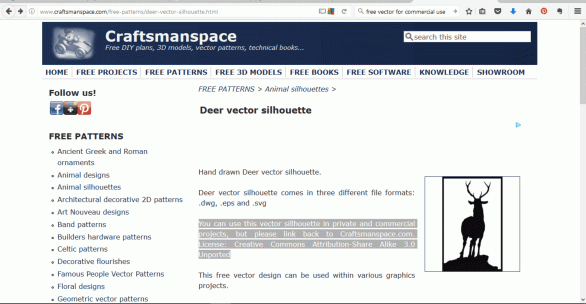
Luckily, there are also a few rare sites and collections which include free royalty free images (!) for commercial use. In other words, this is where either the image is out of copyright, or the artist has given permission for other people to make multiple copies of their designs and sell objects that include it.

Examples of some of these sites include CraftsmanSpace, Vector4Free, FreeVectors,  BUT be careful again that the license allows commercial use (i.e. it lets you copy the image and use it on products that you sell).

Screenshot of a free vector on craftsmanspace.com

Once you’ve found a suitable vector image on the website, here are the general steps you will need to follow:

Step 1: Download the image and save it in a folder or system where you’ll be able to easily find it again (e.g. create a folder called “vector downloads for commercial use”).

Step 2: Open a new document in your drawing/design software (e.g. CorelDraw).

Step 3: Import the saved vector into the new document.

Screenshot of free vector image imported into CorelDraw

Step 4: Then depending on your laser system: if you want to cut the image, make sure it has got hairline (or very thin) outline, and if you want to etch the image, make sure it hasn’t got the thin outline.

Gold deer silhouette card CREDIT CREATIVE COMMONS
Gold deer silhouette card (credit: craftsmanspace.com)

So that’s it. Instead of spending hours drawing and tweaking your own designs (when you could be doing some lasercutting), just search for a vector that you like, make sure that you’ve got the rights to reproduce it commercially, and download it into your drawing software.

Hope you find this article useful – if so (or if there’s something else you think I should have mentioned), please feel free to comment or use the Contact page. Cheeers.

Save